YAIP is a fast, remote-first player for the IPTV service you already pay for.
Live TV with a proper guide, catch-up that needs no storage, live pause,
Multi-View, films and series - on your phone, your tablet and your Fire TV or Android TV.
YAIP is a player only. It does not supply any channels - you bring your own provider.
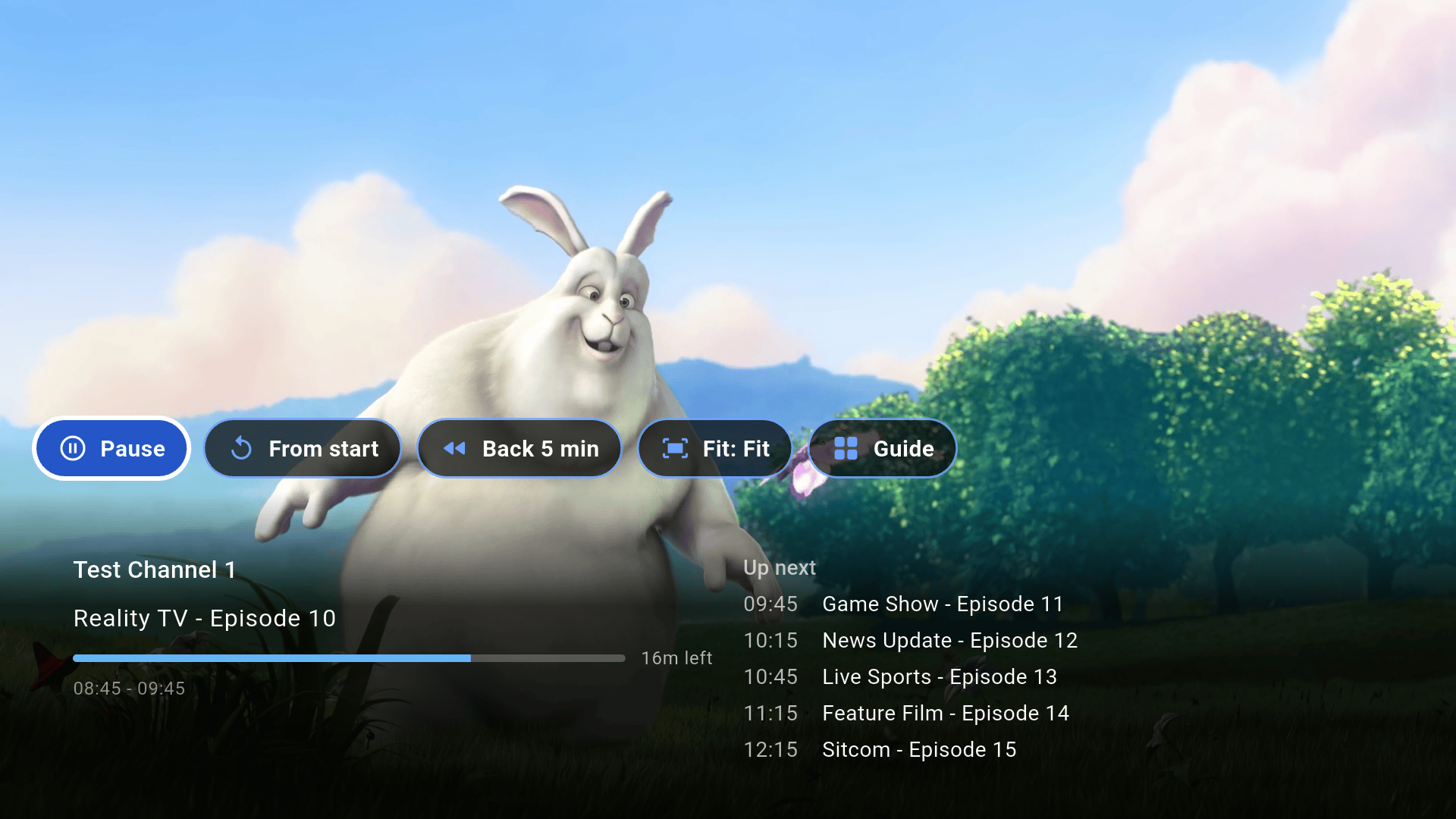
Live TV, fullscreenimages/shots/tv-live.png
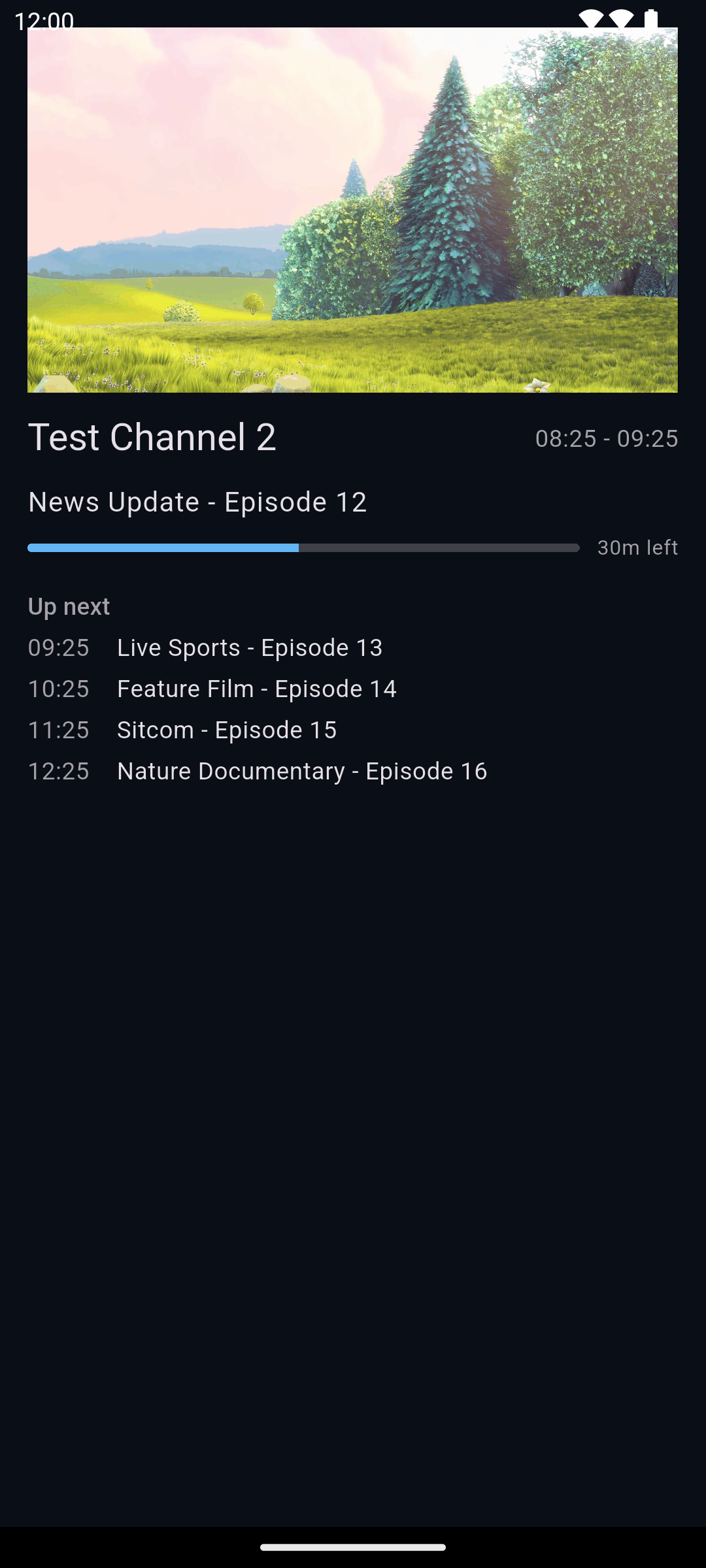
Live TV on a phoneimages/shots/phone-live.png
YAIP is a player, not a provider.
YAIP does not provide, sell or host any channels, streams or playlists, and none come with the app.
To watch anything you need your own subscription from an IPTV provider, which you sign in to inside YAIP.
Please use only content you have the right to watch.
How it works
Bring your own provider. YAIP does the rest.
Your provider supplies the channels, films and guide. YAIP is the app you watch them in - built to be quick on a TV remote and on a touch screen.
1
Have a subscription
From an IPTV provider of your choice that gives you an Xtream Codes login: a server address, a username and a password. YAIP doesn't sell or recommend any.
2
Add it to YAIP
Create a free YAIP account, add your provider's login as a playlist, and YAIP downloads the channel list, the films, the series and the TV guide.
3
Watch anywhere
Sign in on your phone, tablet and TV. With Pro, playlists, favourites, settings and watch history follow you between them.
Everything in the box
Every feature, at a glance
Features marked PRO are part of YAIP Pro. Everything else is free, with no limit on playlists or profiles.
Live TV with the guide built in
Channels by category with what's on now and next, a programme banner in fullscreen, a see-through guide over the picture, and channel numbers you can dial on a remote with number keys.
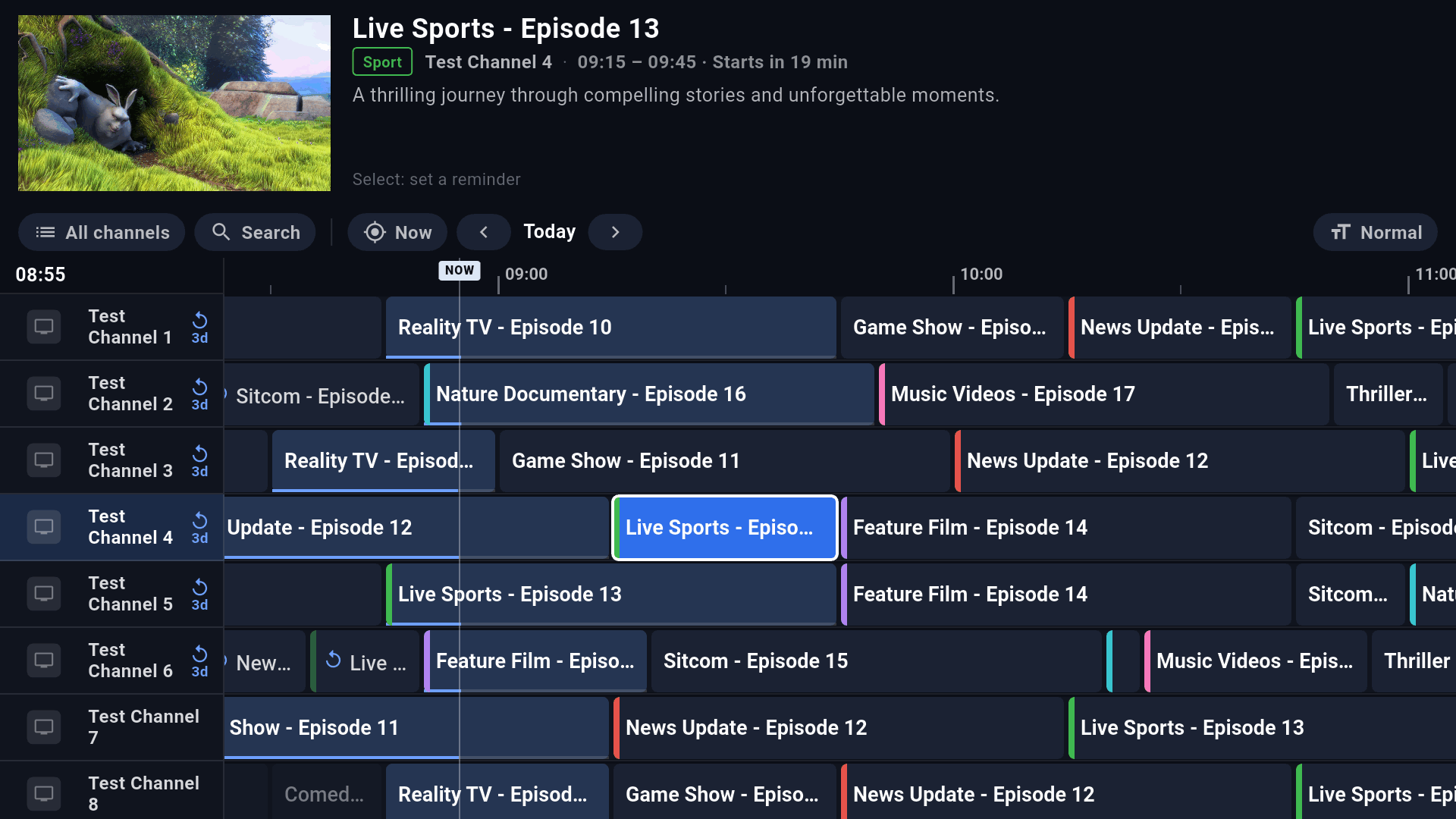
TV Guide grid
A full programme grid across every channel, built to stay quick with guides of hundreds of thousands of programmes. Set a reminder on anything coming up.
PRO
Catch-up
Replay programmes from the past few days on channels your provider records. It streams from your provider's archive - nothing is stored on your device.
PRO
Live pause and rewind
Pause live TV and carry on where you left it, scrub back through the programme on air, or start it again from the beginning.
PRO
Multi-View
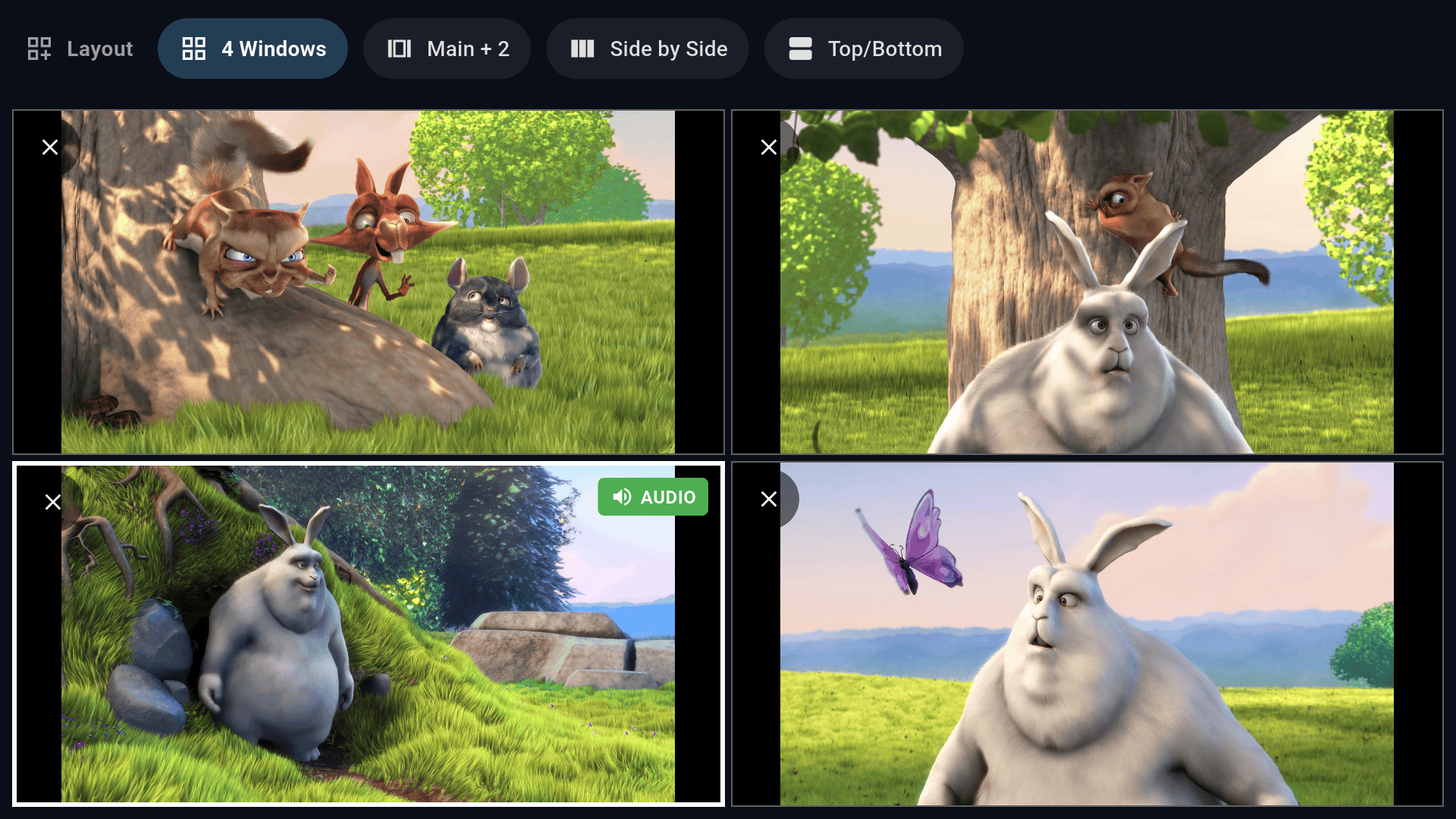
Several channels on screen at once - two games, the news and the match. YAIP checks what your device can handle and tells you before you push it too far.
Films and series
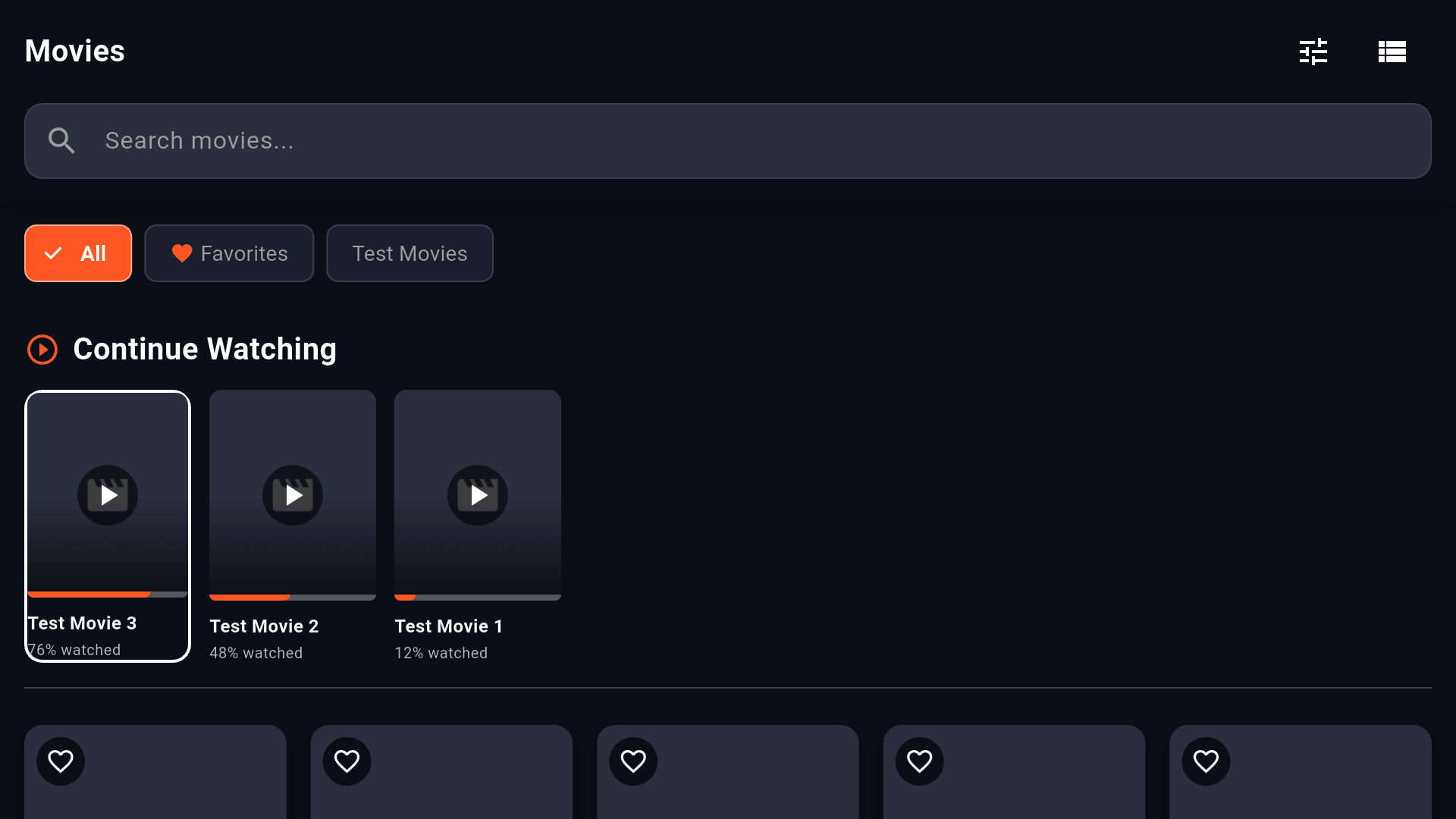
Your provider's film and series library with posters and details, seasons and episodes, and Continue Watching that picks up where you stopped.
Search everything
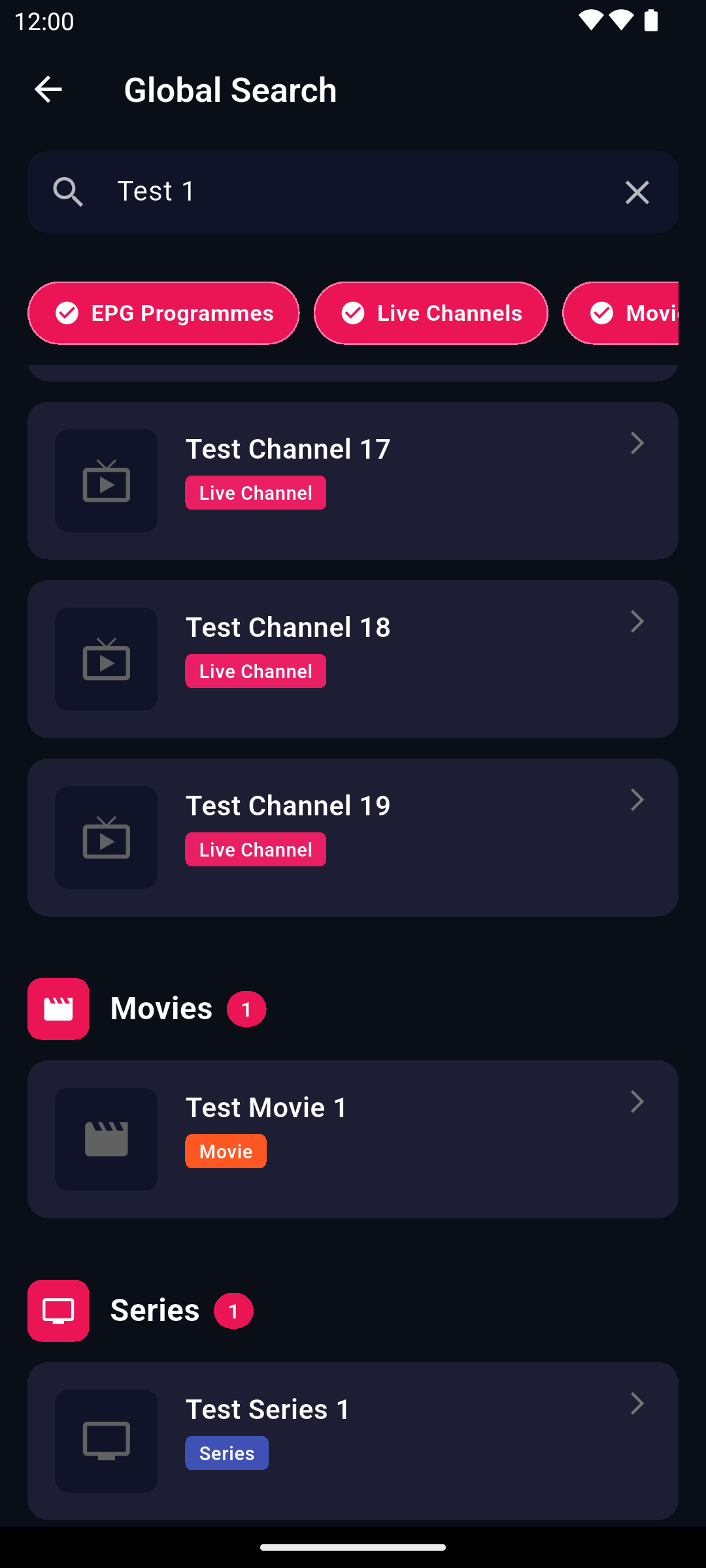
One search across live channels, guide programmes, films and series.
Favourites and recents
Star channels, films and series, and get back to what you watched last in one press.
Profiles and PIN locks
A profile for each person in the house with its own favourites and history. Lock a profile, Settings or whole categories with a PIN; hide channels and categories you never watch.
PRO
The assistant
Say or type what you want - a channel, tonight's match, a film, a reminder - and YAIP finds it and puts it on.
PRO
Built-in VPN tunnel
Paste the WireGuard or OpenVPN file from your VPN provider and YAIP connects through it on its own - only YAIP's traffic goes through the tunnel. Android only.
VPN detection and Enforce VPN
See at a glance whether a VPN is up. Turn on Enforce VPN and YAIP won't play anything without one, with a killswitch if it drops.
PRO
Cloud sync
Playlists, profiles, favourites, settings and watch history, the same on every device you sign in to.
PRO
Backup and restore
Save a profile to a file, sealed with a passphrase you choose (AES-256), and restore it on any device.
Cast to TV
Send what's playing on your Android phone to a smart TV that supports DLNA, and use the phone as the remote.
Smart failover
When a stream drops, YAIP reconnects by itself, and offers the same channel in another quality or the same match on another channel.
Extra guide sources
Add your own XMLTV guide links and match them to channels when your provider's guide is thin.
Picture-in-picture
Keep a channel playing in a small window while you use other apps on your phone.
What makes it different
The parts we're proudest of
Catch-upimages/shots/tv-catchup.png
PRO
Catch-up that takes up no space
Many providers keep recordings of their main channels for several days - and most viewers never find out. YAIP shows you which channels have an archive and lets you replay any programme in it, straight from the guide.
Streams from your provider's archive: nothing is recorded or stored on your device
Pick a programme in the guide, or go back day by day
Seek, pause and skip like a film
Needs a provider that offers catch-up (often called "TV archive") on the channel.
Live pause and rewindimages/shots/tv-live-pause.png
PRO
Pause live TV. Rewind it. Start it again.
Doorbell? Pause the match and pick it up where you left it. Missed the goal? Scrub back. Tuned in late? Watch from the start. On channels your provider archives, live TV becomes something you control.
Pause and resume without losing your place
Rewind five minutes with one button, or drag back through the programme
Back to live with one press
TV Guideimages/shots/tv-guide.png
A TV Guide built for huge playlists
Some providers carry over ten thousand channels and half a million programmes. YAIP streams the guide in as it downloads, shows you each stage as it goes, and keeps the grid smooth on a Fire TV Stick.
Full grid with a live preview of the selected channel
Reminders for programmes coming up
Add extra XMLTV guide sources and match them to channels
Multi-Viewimages/shots/tv-multiview.png
PRO
Multi-View: more than one channel at once
Follow several games on a busy afternoon. Choose a layout, drop channels into it, and move the sound between windows with the remote.
Four layouts: 4 windows, main + 2, side by side, top and bottom
Tuned for smooth playback on Fire TV hardware
Warns you when your device is likely to struggle
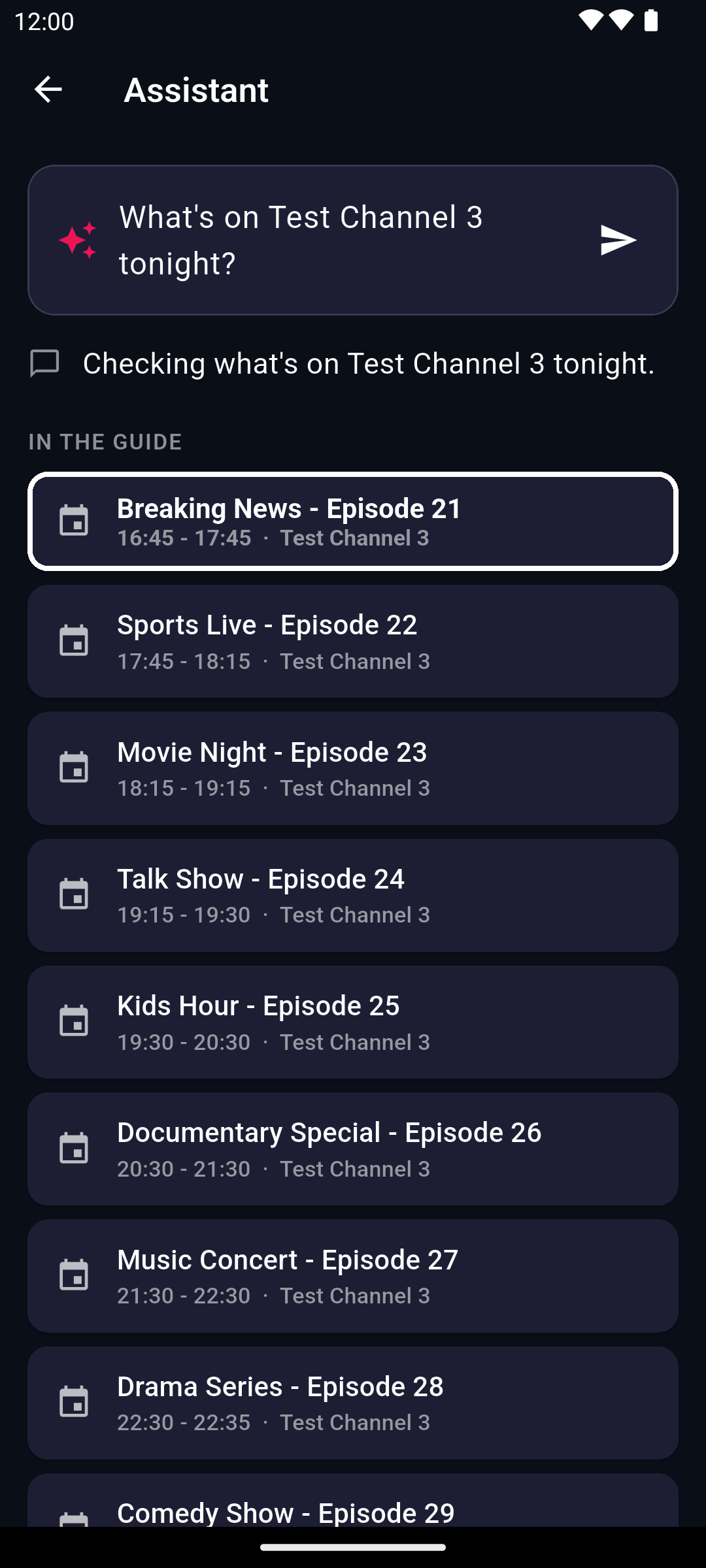
The assistantimages/shots/phone-assistant.png
PRO
Just ask
Long playlists are hard to browse with a remote. Tell the assistant what you want instead - by voice or by typing - and it finds the channel, the match or the film and puts it on.
"Put the football on", "What's on tonight?", "Remind me when the final starts"
Opens screens, controls playback, sets reminders
Speak on phones; on Fire TV, hold the remote's mic button on the keyboard to dictate
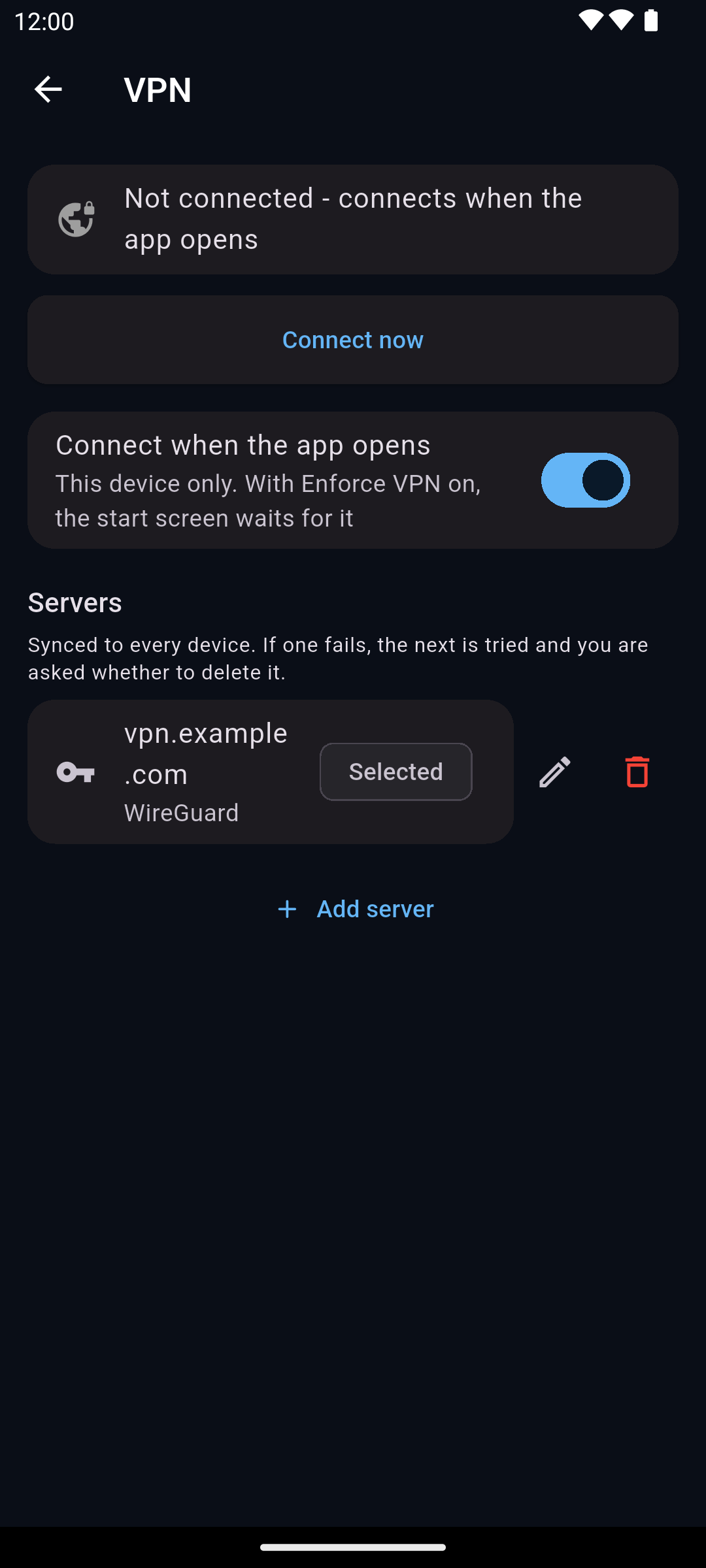
VPN settingsimages/shots/phone-vpn.png
PRO
Your VPN, inside the app
Already pay for a VPN? Paste the config file it gives you, once, and YAIP connects through it whenever it starts. No second app to open on the TV, and nothing else on your device is routed through it.
WireGuard (.conf) and OpenVPN (.ovpn) files
Only YAIP's traffic goes through the tunnel
Paste it on your phone, and sync brings it to the TV
YAIP does not include a VPN service - you use your own VPN provider's server. Free for everyone: VPN detection, Enforce VPN and the killswitch work with any VPN app.
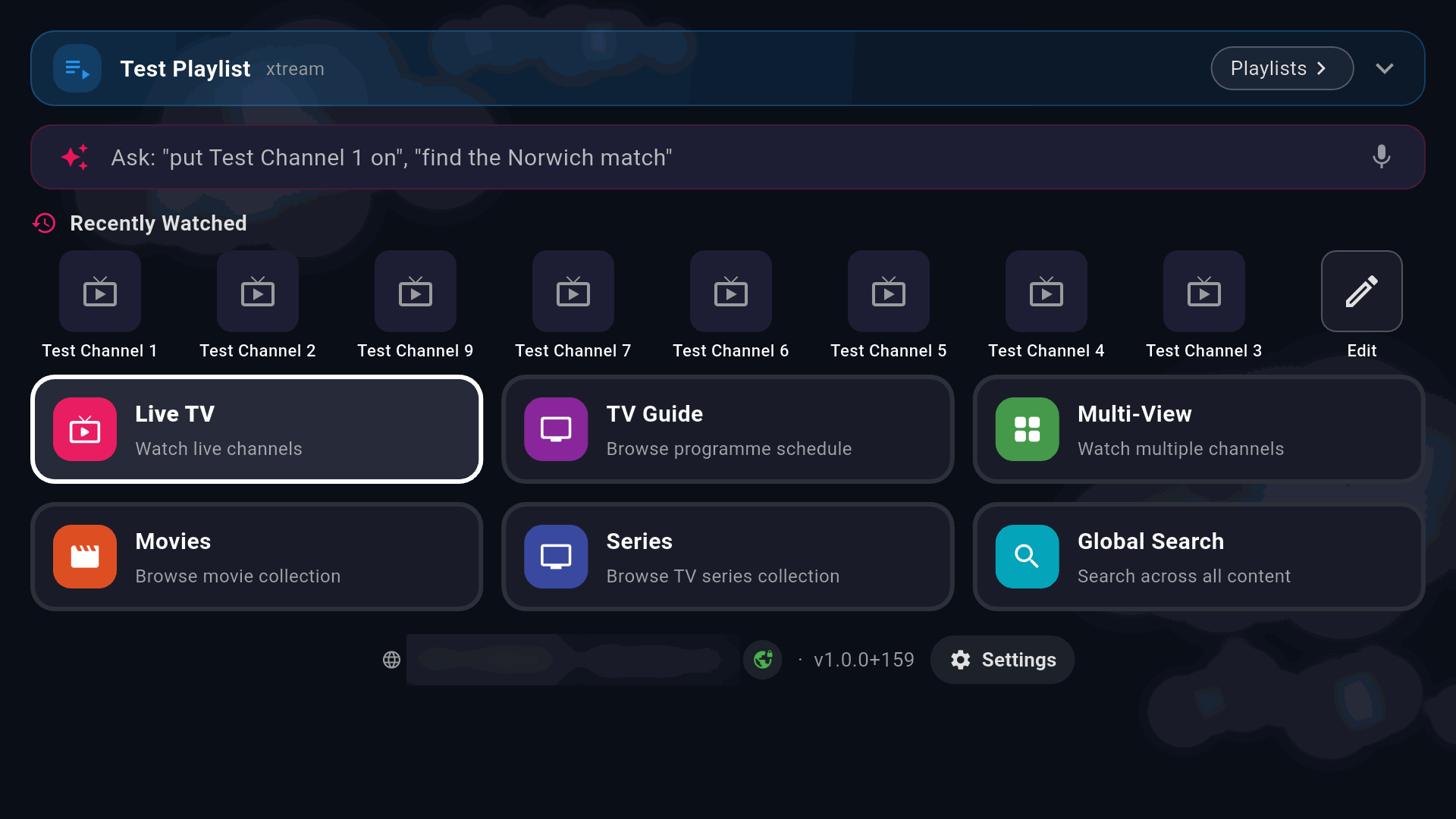
Home on the TVimages/shots/tv-home.png
Made for the remote first
YAIP is designed around a TV remote, not adapted to one. Every control is reachable with the D-pad, the focus is always visible, and nothing needs a long press. It's tested on the most modest screen it targets - a Fire TV Stick - and scales up from there.
Clear focus rings and sensible starting focus on every screen
Text fields don't pop the keyboard until you choose to type
The same app on a touch screen, with gestures where they help
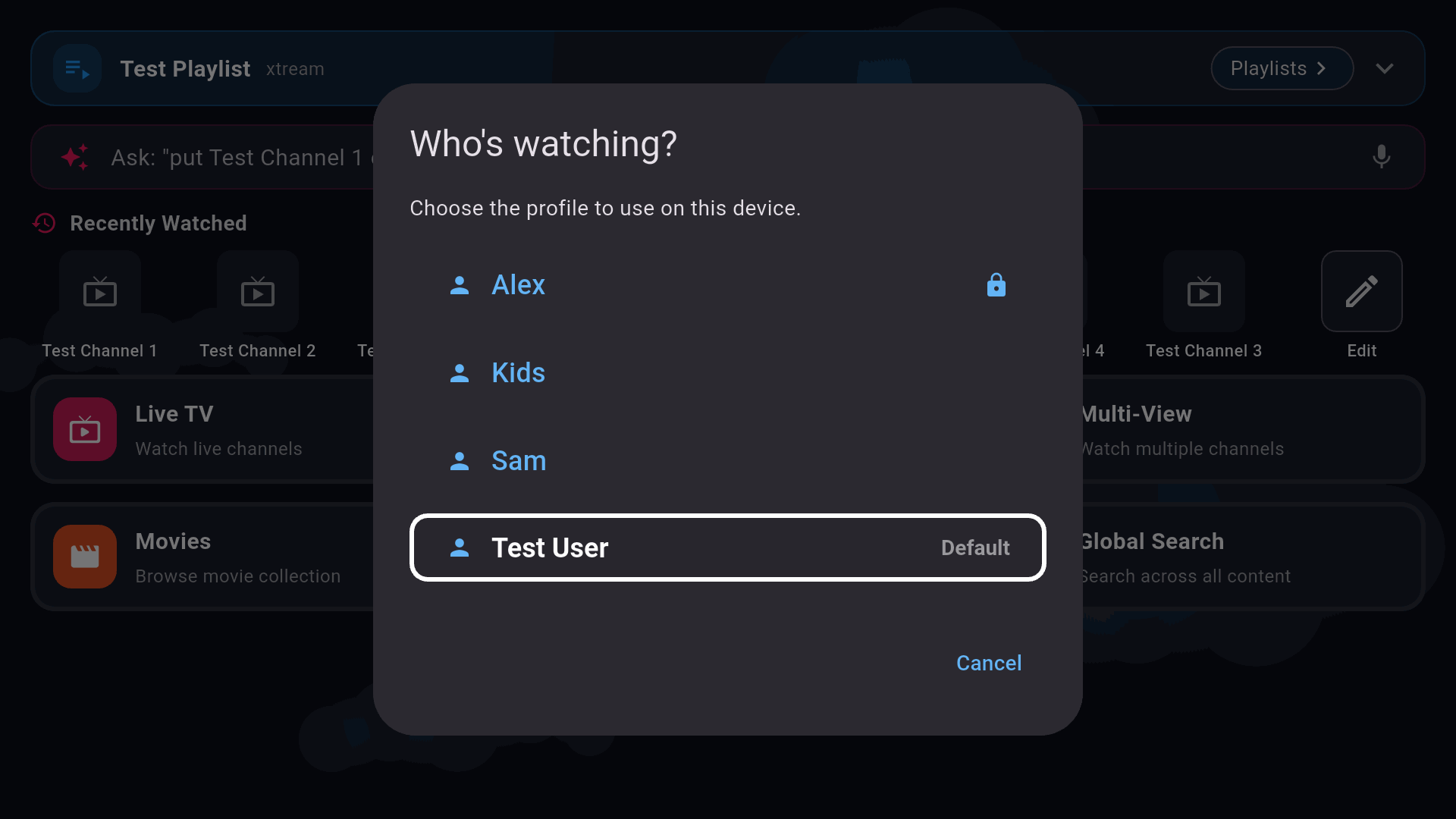
Who's watching?images/shots/tv-profiles.png
One account. Every screen. Everyone in the house.
Profiles keep everyone's favourites and history apart, and a PIN keeps a profile - or Settings, or a category - to the people it's meant for. Each device picks its own profile, so switching on the TV doesn't switch your phone.
Profiles and PIN locks are free
With Pro, cloud sync carries everything between devices
Encrypted backups of a profile to a file, with Pro
A closer look
Films, series and search
Moviesimages/shots/tv-movies.png
Films and series, with Continue Watching
Searchimages/shots/phone-search.png
One search for everything
Platforms
Where it runs, and what it works with
Android phones and tablets
Portrait and landscape, touch and gestures, picture-in-picture and Cast to TV. Where you buy Pro, through Google Play.
Android
Amazon Fire TV
Designed and tested on the Fire TV Stick, the smallest screen YAIP targets. Unlock Pro by signing in to an account that has it.
Fire TV
Android TV and Google TV
Shows up on the TV launcher and runs with the remote, exactly as on Fire TV.
Android TV
Web browser and Windows
YAIP already runs in a browser and on Windows in testing; they are not released yet. The VPN tunnel and Cast are Android-only.
In development
Works with
Xtream Codes logins - live TV, films, series and catch-up
XMLTV guide links as extra guide sources
HLS and MPEG-TS streams, whichever your provider serves
WireGuard and OpenVPN config files from your VPN provider
DLNA smart TVs for Cast
Works with an Xtream Codes login (server, username, password) or an M3U playlist link. Paste a provider's get.php link and YAIP sets it up as Xtream Codes, which brings films, series and the guide with it.
YAIP Pro
Free to use. Pro when you want more.
No adverts, and no cap on playlists or profiles in the free app. Pro adds the features below. One Pro belongs to your YAIP account, so it unlocks every device you sign in to - there is no device limit.
Yearly
£5.99/ year
7-day free trial
Every Pro feature
Renews yearly; cancel any time in Google Play
Charged after the 7-day trial unless you cancel before it ends
Prices are in GBP. Prices shown in Google Play may vary by country. Pro is bought in the YAIP app on an Android phone or tablet through Google Play; on a Fire TV or anywhere else, sign in to the same YAIP account and Pro unlocks there too. If a subscription lapses nothing is deleted - Pro features simply lock again.
What's free and what's Pro
Feature
Free
Pro
Live TV, with now and next
Yes
Yes
TV Guide grid and reminders
Yes
Yes
Films and series, Continue Watching
Yes
Yes
Search, favourites, recents
Yes
Yes
Unlimited playlists and extra guide sources
Yes
Yes
Profiles, PIN locks, hidden and locked categories
Yes
Yes
Cast to TV (Android phones)
Yes
Yes
VPN detection, Enforce VPN, killswitch
Yes
Yes
Catch-up replay from your provider's archive, no device storage
-
Yes
Live pause and rewind pause, scrub back, watch from the start
-
Yes
Multi-View several channels on screen at once
-
Yes
Cloud sync playlists, profiles, favourites, settings, history
-
Yes
Backup and restore a profile to an encrypted file
-
Yes
The assistant ask by voice or text
-
Yes
Built-in VPN tunnel your own WireGuard or OpenVPN profile; Android only
-
Yes
FAQ
Questions, answered plainly
Do you provide any channels?
No. YAIP is a player. It does not provide, sell or host any channels, streams or playlists, and none come with the app. You need your own subscription from an IPTV provider, and you should only watch content you have the right to watch.
Where do I get a subscription?
From an IPTV provider of your choosing. We don't sell, endorse or recommend any provider, and we have no business relationship with any.
What do I need from my provider?
An Xtream Codes login: a server address, a username and a password. Most providers send these when you subscribe.
Can I use an M3U link?
Yes. Choose "M3U URL" when you add a playlist and paste the link. YAIP reads the channel groups, films and series in the list, its guide (the list's own or one you enter) and catch-up where the list provides it, and tells you plainly what the list does not include. If your link is an Xtream Codes one (it contains get.php with a username and password), YAIP adds it as Xtream Codes instead, which gives you more.
Does catch-up use storage on my device?
No. Catch-up plays programmes from your provider's own archive, streamed when you watch them. It works on channels where your provider offers catch-up.
How do I get Pro on a Fire TV?
Buy Pro in YAIP on an Android phone or tablet through Google Play, then sign in to the same YAIP account on the Fire TV. Pro belongs to the account, so it unlocks there too.
How many devices can I use Pro on?
As many as you sign in to with your YAIP account. There is no device limit.
Is there a free trial?
Yes: the yearly plan starts with a 7-day free trial through Google Play. If you cancel in Google Play before it ends, you aren't charged.
Does YAIP come with a VPN?
No. YAIP can connect through a VPN you already have (WireGuard or OpenVPN) without a separate app, so only YAIP's traffic goes through it. You need your own VPN provider. VPN detection and Enforce VPN work with any VPN app and are free.
What happens if my Pro subscription ends?
Nothing is deleted. Pro features lock again, and everything comes back if you renew.